 CJ Streams.
Home / Cine en Directo
Interactive overlay / 001
Cine en Directo.
Your chat gets a seat—and a character.
Each viewer walks in, sits down with their picture and character, throws objects at the screen or another viewer and celebrates with you. You decide how the room works.
Available on Ko-fi
€19.90one-time purchase
One-time purchase. Purchase and download through Ko-fi.
 Promotional illustration
The cinema configurator interface is in Spanish. This page provides English setup instructions, a video transcript and an English demo.
In one minute
Your own cinema,
in motion.
They walk in, sit down, throw tomatoes and applaud new subscriptions. The curtain comes down for breaks. Your chat makes it happen.
One-minute presentation using the product artwork. Video text is in Spanish; an English transcript is available below.
Read the video transcript
A cinema room over your livestream: an overlay for OBS Studio and Streamlabs. Viewers ask for a seat in Twitch or Kick chat (using !join, or simply by chatting if you enable it), walk in and take a seat with their picture and character. Their messages appear above them. !tirar tomate throws at the screen; !tirar tomate @nombretargets another viewer, who reacts and gets splashed. Other commands include !escupir, !patada, !hey and !personaje to change outfits. When someone subscribes, the entire room celebrates; there are five celebrations. Four curtain stages: Open Room, Start, Break and Close Room. Five seat styles: Classic Cinema, Premium Cinema, VIP Room, Leather Club and Velvet Art Deco. Customize it in the configurator, export one file of around 5 MB and add it as a Browser source. One-time purchase on Ko-fi.
Try it here
A preview screening
before opening night.
A room with a simulated audience. The demo does not connect to any channel or request account details.
Demo room
Your seat is waiting.
This is the actual overlay engine (around 7 MB). It loads when you click and may take a few seconds.
Sample names and characters. The full version receives participation from Twitch and Kick chat.
Five seat styles included
A room that
feels like you.
Choose a starting style and adjust the colour, rows, size, perspective and shadow in the configurator. Every style supports your chosen seat colour.
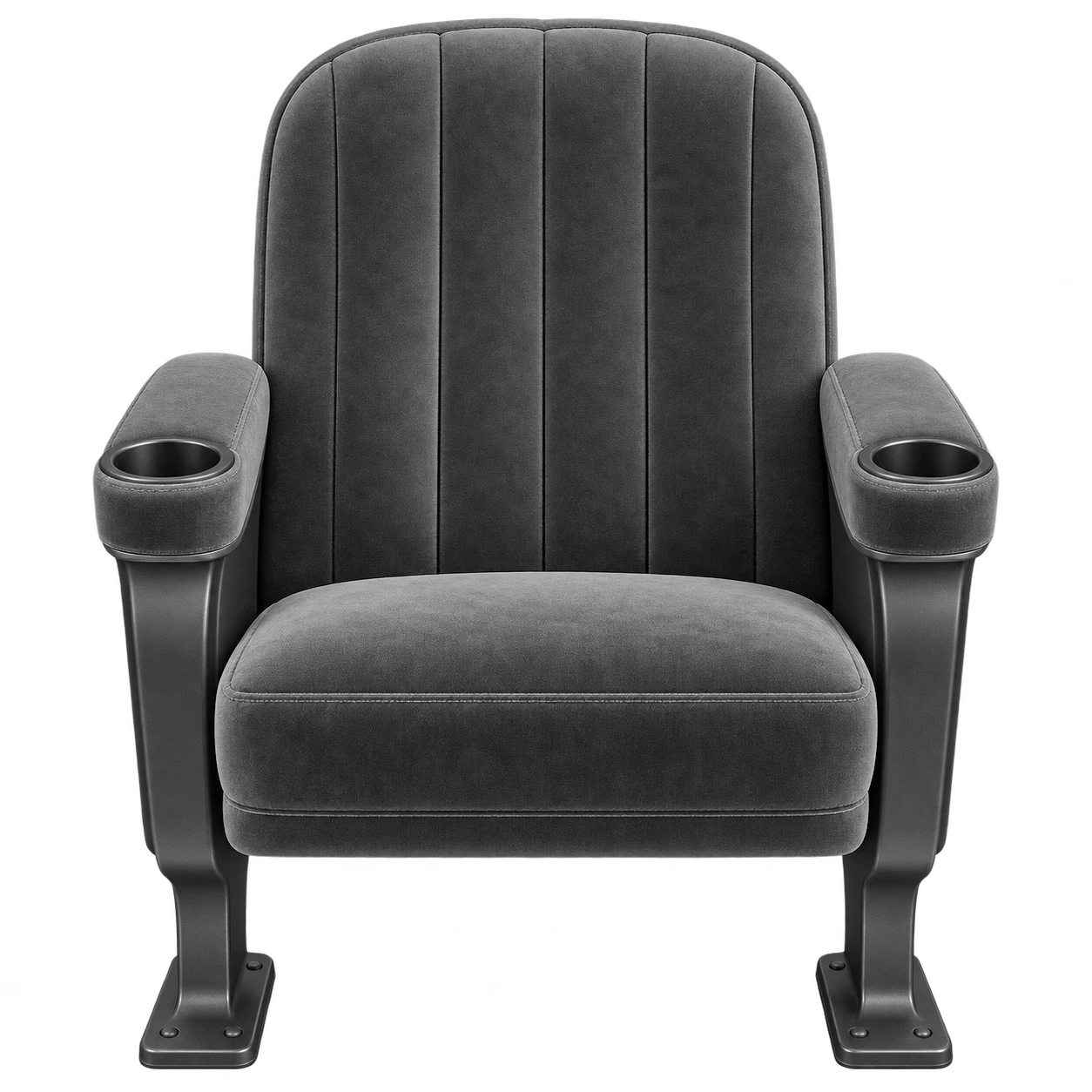
Classic Cinema
A classic night at the cinema.
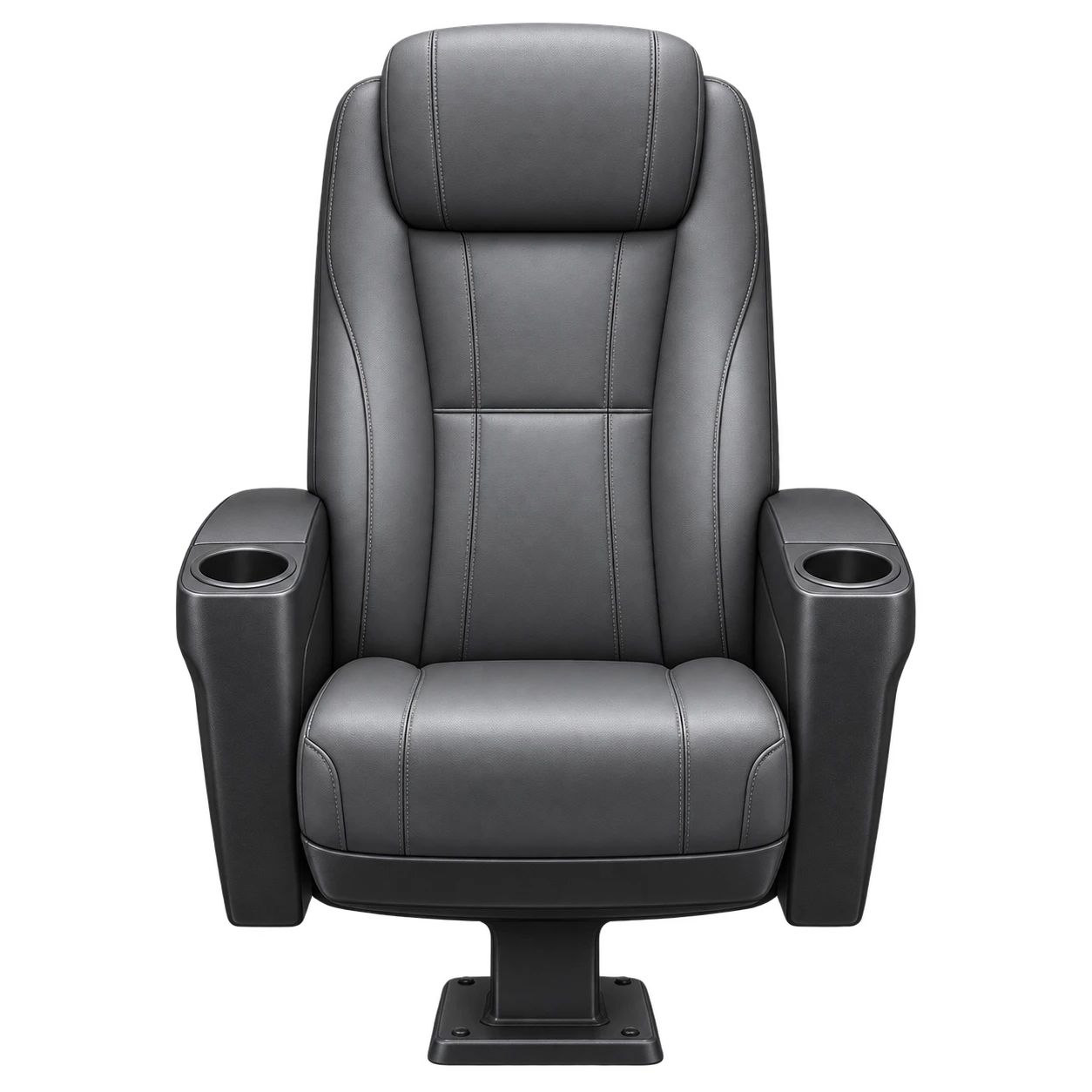
Premium Cinema
A backrest that stands out.
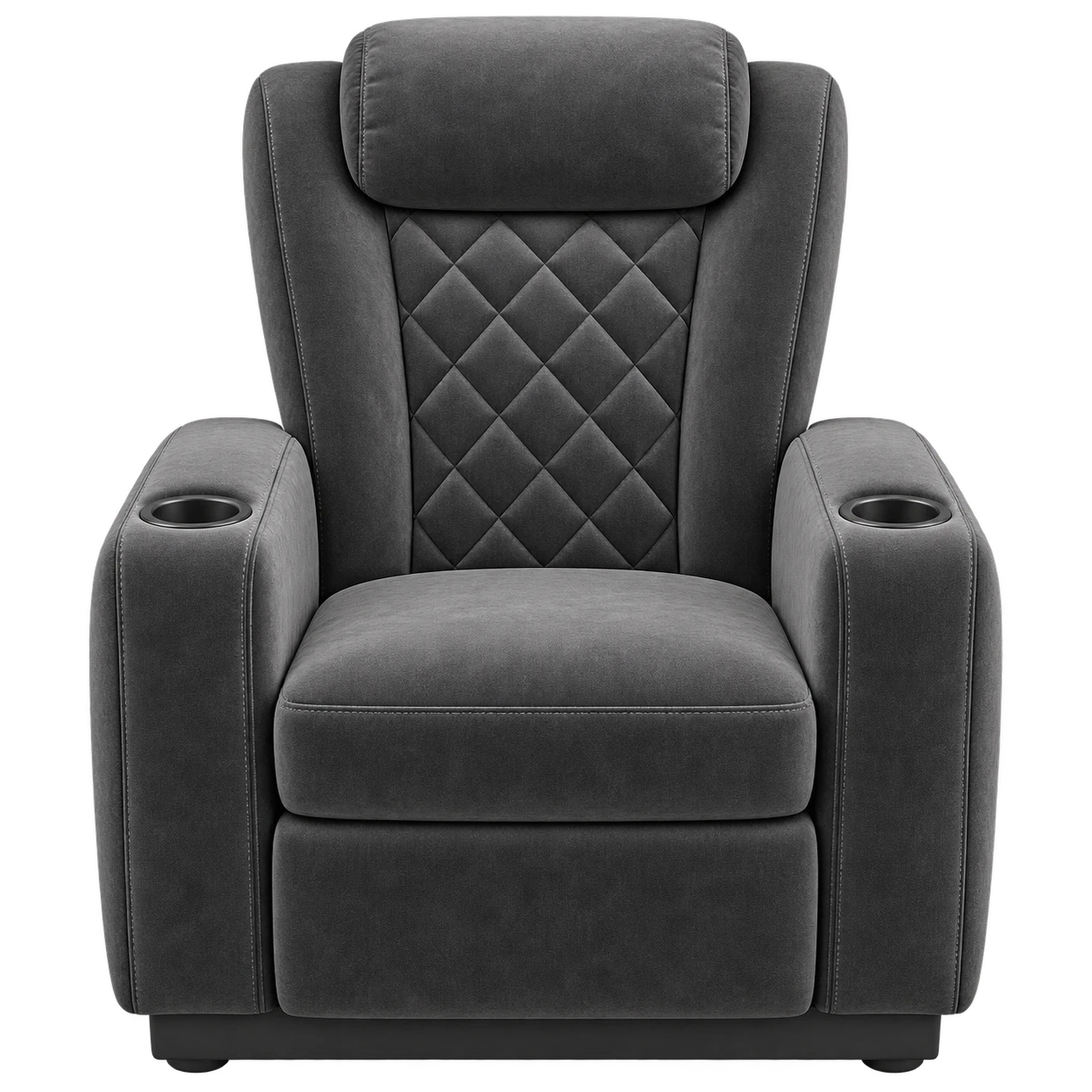
VIP Room
For a community with style.

Leather Club
An enveloping backrest with stitched details.

Velvet Art Deco
A fan-shaped backrest with 1920s flair.
Your own room
What happens in chat
comes to life.
Bodies and outfits
Each viewer chooses a male or female character with !personaje. They walk in from the side, wave, clap and react. You can also use profile pictures only.
Full of character
Five designs, nine streamer rings, curtains, a screen and a room that remembers who was seated when you switch scenes.
React your way
Aim at the screen or another member of the audience: !tirar tomate @nombre. Splashes, reactions, !escupir and !patada.
The whole room celebrates
Applause, Gifts, Hype, Support and Subscription. Twitch and Kick subscriptions trigger celebrations automatically; donations and hype rely on your bot announcing them.
A working curtain
Open Room, Start, Break and Close Room. Switch between them from chat with !sala.
Visual, no coding required
Full-size preview, search, sections you can arrange and a single file of around 5 MB for OBS or Streamlabs.
Before you buy
Make it fit
your livestream.
Twitch and Kick
Use either platform or both at once. The same username on both platforms is treated as the same person. Chat requires internet access and depends on the platforms' services.
Streamlabs and OBS Studio
Add it as a Browser source. The cinema has been used in real Streamlabs livestreams with Twitch and Kick.
One per channel
Use it in your own monetized livestreams and customize your copy. Reselling or redistributing the package is not permitted.
One 5 MB file
Transparent background, 1920 × 1080 or your chosen size. No account or token is required: it reads public chat only.