01 · YOUR WAY
Screens, alerts and scares
Actions grouped by category, adjustable grid sizes and separate profiles for your configured overlays.
 CJ Streams.
Overlays / Halloween Ventana Maldita
VENTANA MALDITA · HALLOWEEN
Prepare your own night of horror. Customize the overlay, export one HTML file and trigger screens, sounds and scares with our controller.
€9.90one-time purchase
Available on Ko-fi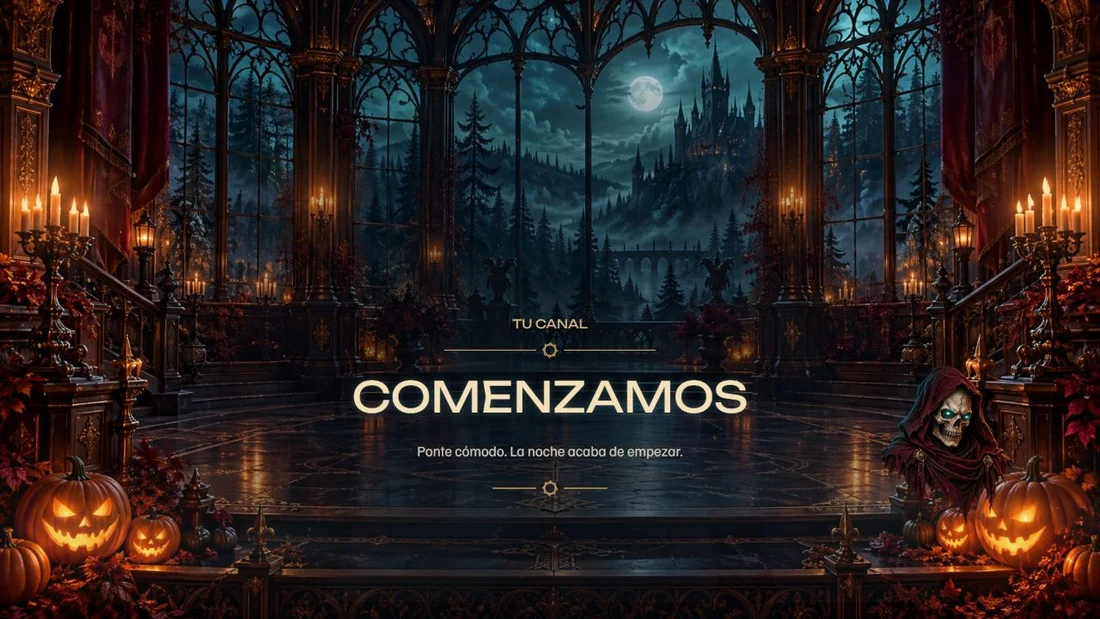
1Exportable HTML
8optional screens
42Halloween actions
12intense scares
SEE IT IN ACTION
41 seconds of the product's animations and sounds, with views of the configurator and controller. Video text is in Spanish.
Contains scares, flashes and loud sounds. The alerts shown are simulated; no real accounts are used.
TRY IT HERE
Eight screens, seven DEMO alerts and twelve scares. Try the sample controller and use its sound button to enable audio.
Actual animations · optional sound
ONE BROWSER SOURCE
Starting Soon, Break, Ending, Offline, Game, Chat, Frame and Atmosphere live in one HTML file. Use whichever you need without creating eight scenes in your streaming software.
A gallery of actual product screenshots. Animations and sounds run in the HTML; this gallery shows still images.
CJ STREAMS CONTROL · INCLUDED
A dedicated Windows controller with a Halloween skin and 53 illustrated emblems. It detects the HTML's identity and prepares its profile without replacing your customized buttons.
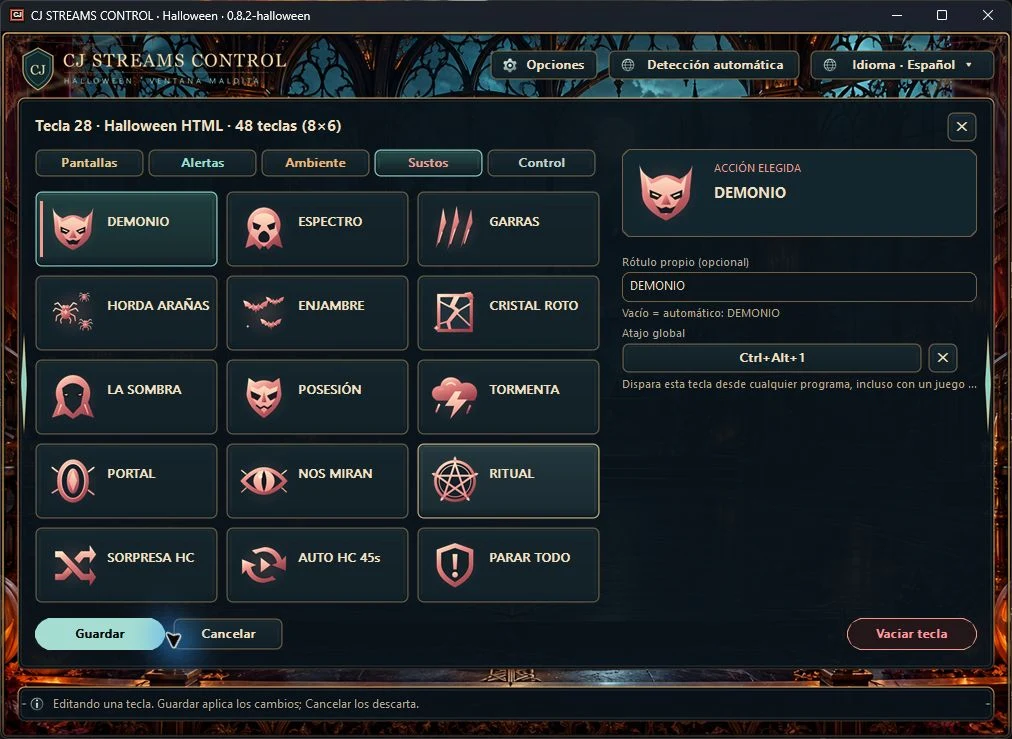
01 · YOUR WAY
Actions grouped by category, adjustable grid sizes and separate profiles for your configured overlays.
02 · KEEP PLAYING
Assign your own combinations and turn global hotkeys on or off when needed.
03 · SET THE PACE
Trigger scares manually, enable automatic scare modes or stop effects, audio and the queue with Stop All.
Keep the controller running for its buttons, hotkeys and controlled effects. A Stream Deck is not required.
VISUAL CONFIGURATOR
Use the included resources or replace them. Your personal files are embedded in the HTML and saved settings.
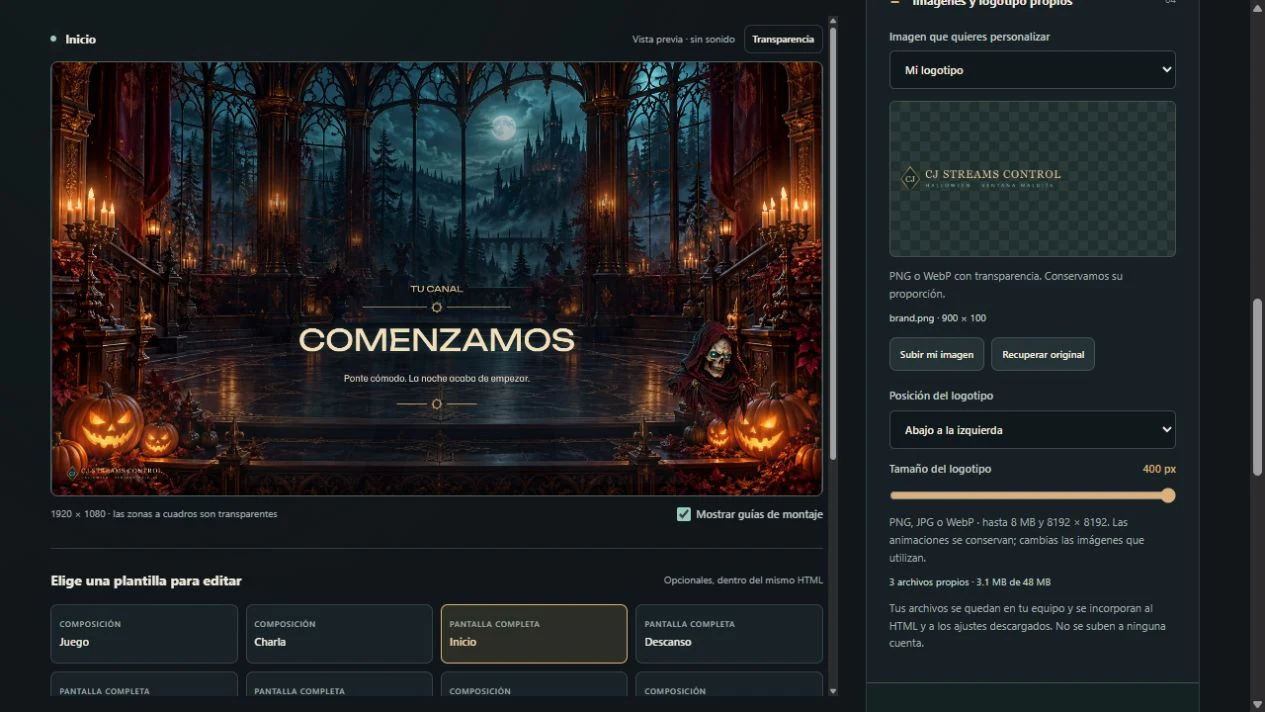
PNG, JPG or WebP images and MP3, WAV or OGG audio, with size limits explained in the guide.
THE DOWNLOAD
Configurator, sample HTML, controller and documentation in one package for local setup.
SCREENS
Starting Soon, Break, Ending, Offline, Game, Chat, Frame and Atmosphere.
SCARES
Demon, Wraith, Claws, Horde, Swarm, Broken Glass, Shadow, Possession, Storm, Portal, Watching Eyes and Ritual, plus the Guardian and opening spider.
ATMOSPHERE
Fog, bats, particles, flames, spiders and an internal transition with sound.
ALERTS
Follow, subscription, raid, donation, Bits, gift and KICKs. Test buttons do not make payments or generate real account events.
CONTROL
42 Halloween actions, five profiles, grids, a dedicated skin and editable hotkeys.
HELP
Setup, audio, customization, troubleshooting, terms and credits for the included resources.
BEFORE YOU BUY
The package runs on your computer. Purchase and download through Ko-fi.
The seven alert designs and their DEMO buttons are included. Automatic reception of real Twitch and Kick events through Streamlabs is still awaiting verification. This edition is not advertised as a verified integration with real accounts. Manual controls and DEMO tests work without connecting accounts.
Horror content: sudden scares, intense movement, flashes and loud sounds. You can disable effects and adjust their volume.
FREQUENTLY ASKED QUESTIONS
No. These are eight optional screens within one HTML file. The controller switches its content; use whichever screens you need.
Yes. Disable the frames or use the full screens. It does not connect a camera or live chat on its own.
Yes. Upload files for individual items in the configurator, or restore each original. Save your settings JSON for later edits and export your HTML again.
Yes, for buttons, hotkeys and controlled effects. The HTML decorations remain available when you close the controller.
No. They are local tests with simulated data. Real reception through Streamlabs is still in validation and depends on accounts and events delivered by that service.
The price is €9.90, one-time purchase. One-time purchase and download on Ko-fi.
The guide covers setup, the controller and customization. Basic setup and product troubleshooting support is also available at soporte@streams.cjgimenez.com. Custom design and remote installation are not included.
CUSTOMIZE · EXPORT · TAKE CONTROL
Eight optional screens and a controller to trigger scares at your own pace.
FIVE LANGUAGES
Spanish, English, Chinese, Hindi and Japanese in the configurator, overlay text, alerts and controller. The language is saved in the HTML. Your own messages and files are preserved.
You can change the demo language too. The presentation video is in Spanish.